
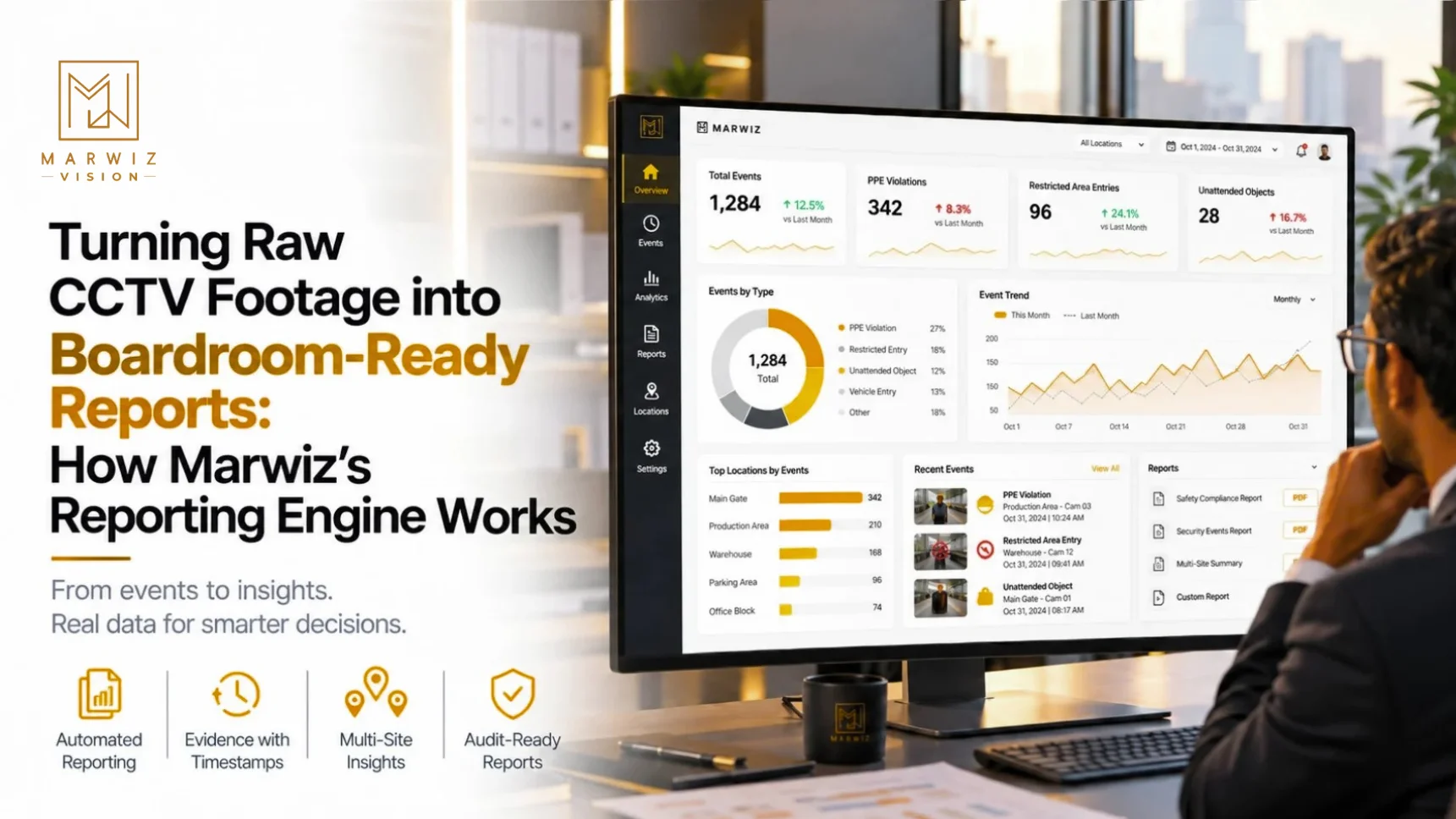
A typical business with 40 cameras generates roughly 960 hours of footage every day. Almost none of it is ever watched. When something goes wrong, someone scrubs through hours of video to find one minute that matters, and when the CEO asks "how many safety violations did we have this quarter?", nobody can answer. The problem is not a lack of footage. It is that footage is not information. A reporting engine closes that gap by converting what cameras see into numbers, trends, and evidence that a manager, auditor, or board can use.
The Real Problem: Footage Is Not a Report
Most CCTV systems answer one question well: "What happened at 3:42 pm at Gate 2?" They answer it only if someone already knows the time and place. They cannot answer the questions decision-makers actually ask:
- How many PPE violations happened this month, and on which shift?
- Which entrance sees the most unauthorized attempts?
- Are incidents going up or down since we changed the policy?
- Can we show the auditor proof that restricted zones were monitored?
Answering these from raw video means paying someone to watch and tally manually, which is slow, inconsistent, and rarely done. AI changes this because every detection becomes a structured record the moment it happens.
How the Reporting Engine Works: From Pixels to Pages
The process has five stages. Each one feeds the next.
- Ingest: The platform connects to your existing IP cameras and analyzes the live streams. No new cameras are needed.
- Detect: AI models flag events such as a PPE violation, a restricted-area breach, a vehicle entry, or an unattended object.
- Log: Every event is saved automatically as a timestamped record with the camera, location, event type, and a snapshot or clip. Marwiz's own industrial compliance page describes this as footage and security events that are automatically logged and time-stamped for easy review.
- Aggregate: Individual events are grouped by site, zone, shift, event type, and time period so trends become visible.
- Report: The aggregated data is presented in dashboards and structured reports. Marwiz describes these as reports that support safety audits, inspections, and regulatory compliance, backed by built-in audit trails.
The order matters. Because the report is built from logged events, every number in it can be traced back to a specific timestamped moment. A claim like "37 violations at Gate 2 last month" comes with 37 records you can open.
Different Readers Need Different Reports
A single fixed report format serves nobody well. This is why customization matters. The same underlying data should be shaped differently for each audience:
| Reader | What they need | Example report |
|---|---|---|
| Security supervisor | What needs action right now | Live alert list, open incidents, response times |
| Plant or facility manager | Where problems cluster | Violations by zone, shift, and week |
| Safety / compliance officer | Proof for audits | Time-stamped log with evidence for each event |
| Branch or regional head | Comparison across locations | Multi-site summary ranked by incident count |
| Director / board | Trend and risk in one page | Month-on-month totals, top three risk areas, action taken |
Marwiz's homepage describes centralized monitoring across all locations, with automated alerts and detailed security reports built from consolidated IP camera data. That multi-site view is what makes the regional-head and board reports possible.
Report Types by Industry
- Industrial plants: PPE compliance rate by shift, restricted-zone entries, near-miss events near machinery. Marwiz's industrial page positions these logs as support for inspections and legal compliance.
- Banks and ATMs: After-hours entries, loitering events at kiosks, tamper alerts by branch.
- Hospitals: Access events at ICUs and pharmacies, after-hours breaches, tailgating incidents.
- Retail and malls: Footfall by hour, queue lengths, peak-hour staffing gaps.
- Warehouses and logistics: Vehicle entries and exits, dwell time, restricted-area breaches. Marwiz's restricted-area page lists automated compliance reporting for audits among its benefits.
- Hotels: Staff-only area access, parking activity, lobby and corridor incidents.
Manual Review vs. AI-Powered Reporting
| Factor | Manual Footage Review | AI Reporting Engine |
|---|---|---|
| Time to answer "how many incidents last month?" | Days of watching and tallying | Seconds from the dashboard |
| Traceability | Depends on notes kept by the reviewer | Every figure links to a logged, timestamped event |
| Consistency | Varies by person and day | Same rules applied to every camera, every hour |
| Trend visibility | Rare | Built in, by zone, shift, and period |
| Audit readiness | Assembled in a scramble before the audit | Available continuously |
| Cost of scaling to more cameras | More reviewers | More cameras, same dashboard |
What Makes a Report "Boardroom-Ready"
Not every dashboard earns that label. Reports that leadership will actually use share a few traits:
- Answer first: The headline number and its direction (up, down, flat) come at the top, not buried in tables.
- Comparable: Current period versus previous, and site versus site.
- Actionable: The report points to where to act, such as the gate, shift, or zone with the most events.
- Evidence on demand: One click from a number to the footage behind it, so no figure is taken on trust.
- Shareable: Exportable in a format that can be attached to an email, an audit file, or a board pack. Some vendors in the market export dashboards as PDFs for wider distribution and archiving, which is now a baseline expectation
What to Check Before You Choose a Reporting Setup
| Check | What to Ask Your Vendor |
|---|---|
| Customization | Can we build reports by site, zone, shift, and event type, or are we limited to fixed templates? |
| Traceability | Does every number link back to the logged event and its footage? |
| Multi-site view | Can head office see all branches in one dashboard and drill into a single site? |
| Scheduling and export | Can reports be scheduled and exported for audits and board packs? |
| Retention | How long are logs and footage kept, and who can access them? |
| Access control | Can each role see only the reports and sites relevant to them? |
| Data protection | How does the vendor handle stored footage and event data under India’s Digital Personal Data Protection Act, 2023? |
What to Check Before You Choose a Reporting SetupFrom Recording to Decision-Making
A camera network that only records is an expense. One that reports is a management tool. The value of a reporting engine is that it lets a manager spot a pattern before it becomes an incident, lets a safety officer walk into an audit with evidence already organized, and lets a board see risk in one page instead of asking for a manual investigation.
Marwiz Vision builds this into the same platform that runs detection and alerts. The event that triggers a real-time alert today becomes a line in tomorrow's report, with the same timestamp and the same evidence. Nothing has to be re-entered or reconstructed.